
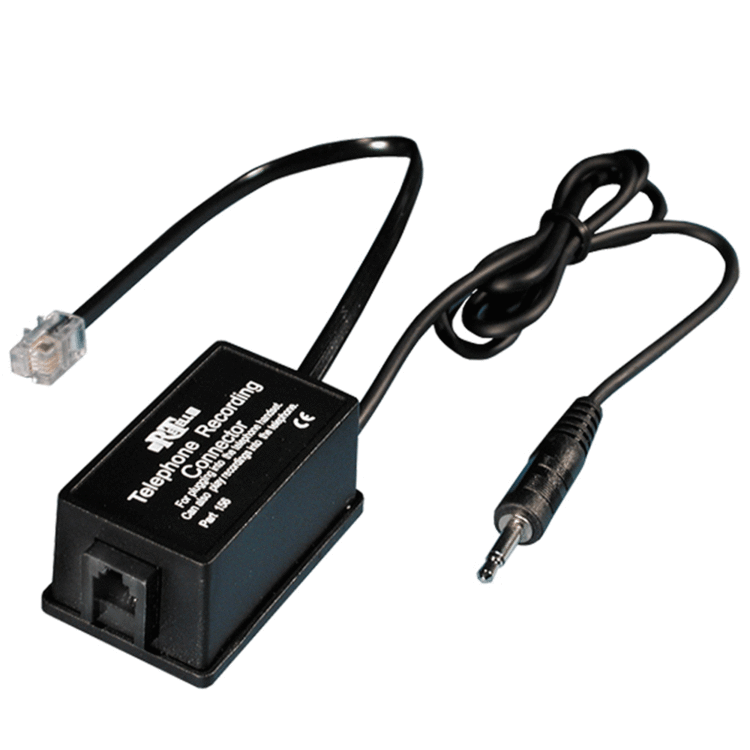
Ex demonstration Telephone handset adaptor for the Phonak Roger Pen
Code: EX3PRPK4B

-
VAT
This product has been opened and used/tested but is in excellent condition.
At this price, an absolute bargain!
Choose quantity
Order now for dispatch on Mon 17th Aug.
Description
With this adaptor, for use on corded telephones, the phone conversation from your corded phone can be fed directly into your hearing aid via a Phonak transmitter or Oticon Streamer Pro. You hold the handset as normal and speak into it but hear through your transmitter.
This useful little gizmo is connected to the curly cord lead between the telephone handset and the base of the phone.
For use with Roger Pen, EasyPen & Clip-on Mic (we recommend you connect via the docking station, by plugging in the 3.5mm jack plug) or the Oticon Streamer Pro & Oticon Medical ConnectLine Streamer.Help Centre
Handset Connector for use with the Roger Pen
For connecting between the handset and the phone. It is not
designed to work between the phone and the wall socket.
To Connect the telephone to the Roger Pen:
1. Make sure the switch on the connector is set to ‘RECORD’.
2. Unplug the telephone's handset (or headset) from the base of
the phone (you may need something sharp to press down the little
lever that holds the plug in place) and plug the record and play
handset connector its place.
3. Plug the handset/headset into the socket on the record and play
connector. Put the silver 3.5mm jack plug into the socket on the
back of the Roger Pen Docking Station.
The incoming voice is passed via the Roger Pen to the user’s
hearing aids. The user’s voice is heard by the person at the other
end by speaking to the handset normally.